The customer looks for an available car. The rental company runs its operations.
Autozoom connected the offers of car rental companies with their operations. Customers chose a car and dates on the portal; the rental company managed availability, bookings and vehicles.

- 2 partsportal and operations
- Bookingtransferred to management
The project in brief
The offer for drivers had to match what the rental company can actually hand over
Autozoom was a portal for people who need to rent a car and a working system for rental companies. Drivers dealt with the place, dates and price. Staff needed to know which vehicle was available and what condition it was in.
We connected the public offer with internal vehicle availability. A booking from the portal was transferred to the rental company’s management.
Brief and project details
- Portal with vehicle search and filters
- Transfer of bookings to rental management
- Records of cars, branches and rentals
- Overview of service and insurance dates
- Client
- Autozoom · past project
- Industry
- vehicle rental, car rental companies
- Our role
- design and development of the portal and rental management
- Platform
- custom system
- Languages
- SK and EN
- 2connected parts: portal and rental management
- 4detail tabs in the car design
Challenge
An available car is not enough. The place and dates must fit too
Drivers choose a car for a specific trip. For the same vehicle, the rental company has to track the rental and its operating condition.
Availability for the given trip
Customers enter pick-up and drop-off. The vehicle offer has to come from the rental company’s availability, not from a separate list of cars.
The booking belongs to the vehicle
Staff need to see who booked the car, for what time and at which branch. This data has to be transferred from the portal.
A car has operating dates too
The rental company tracks more than rentals. Service, mileage, insurance and costs that need recording also belong to the vehicle.
Solution
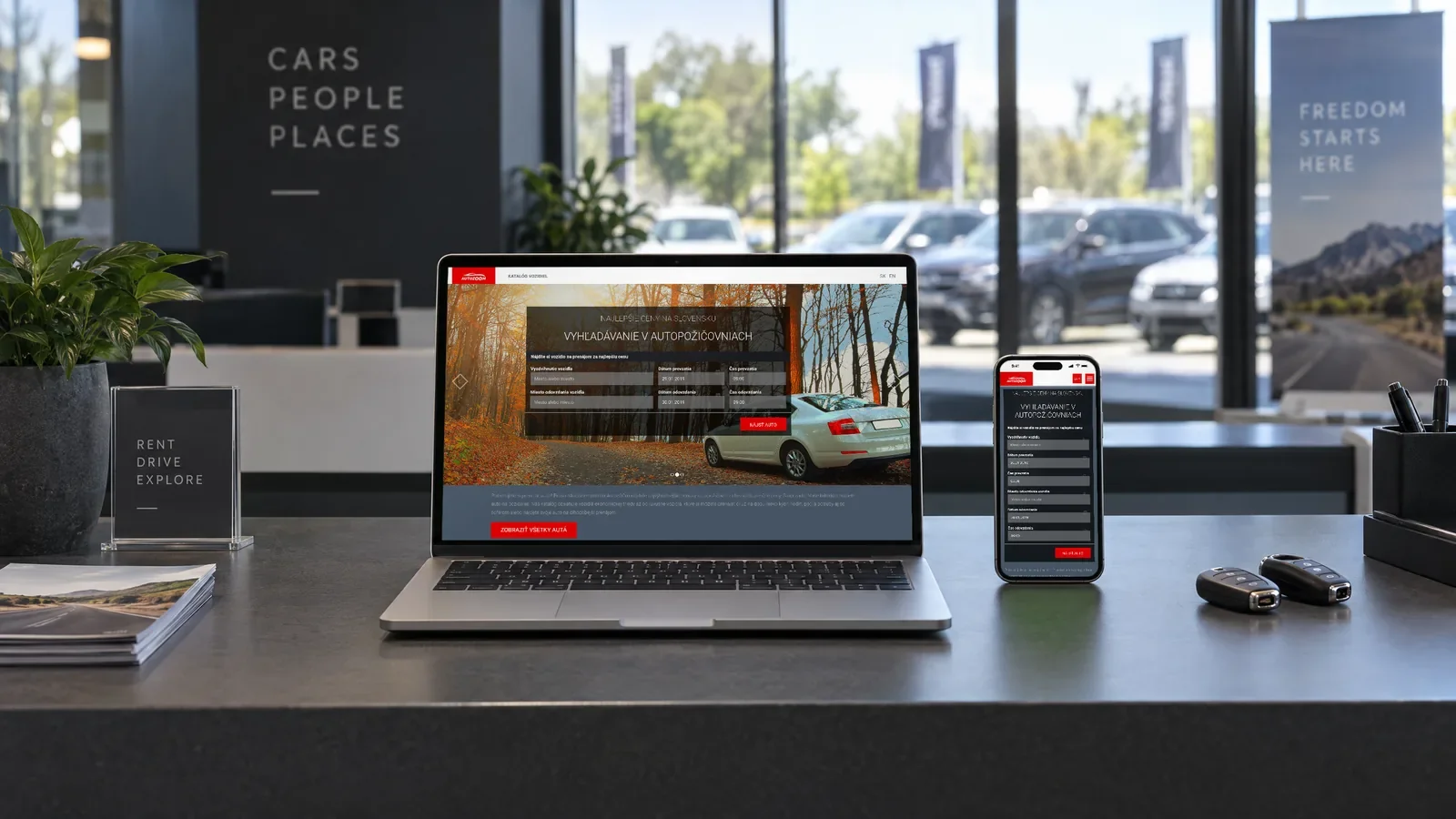
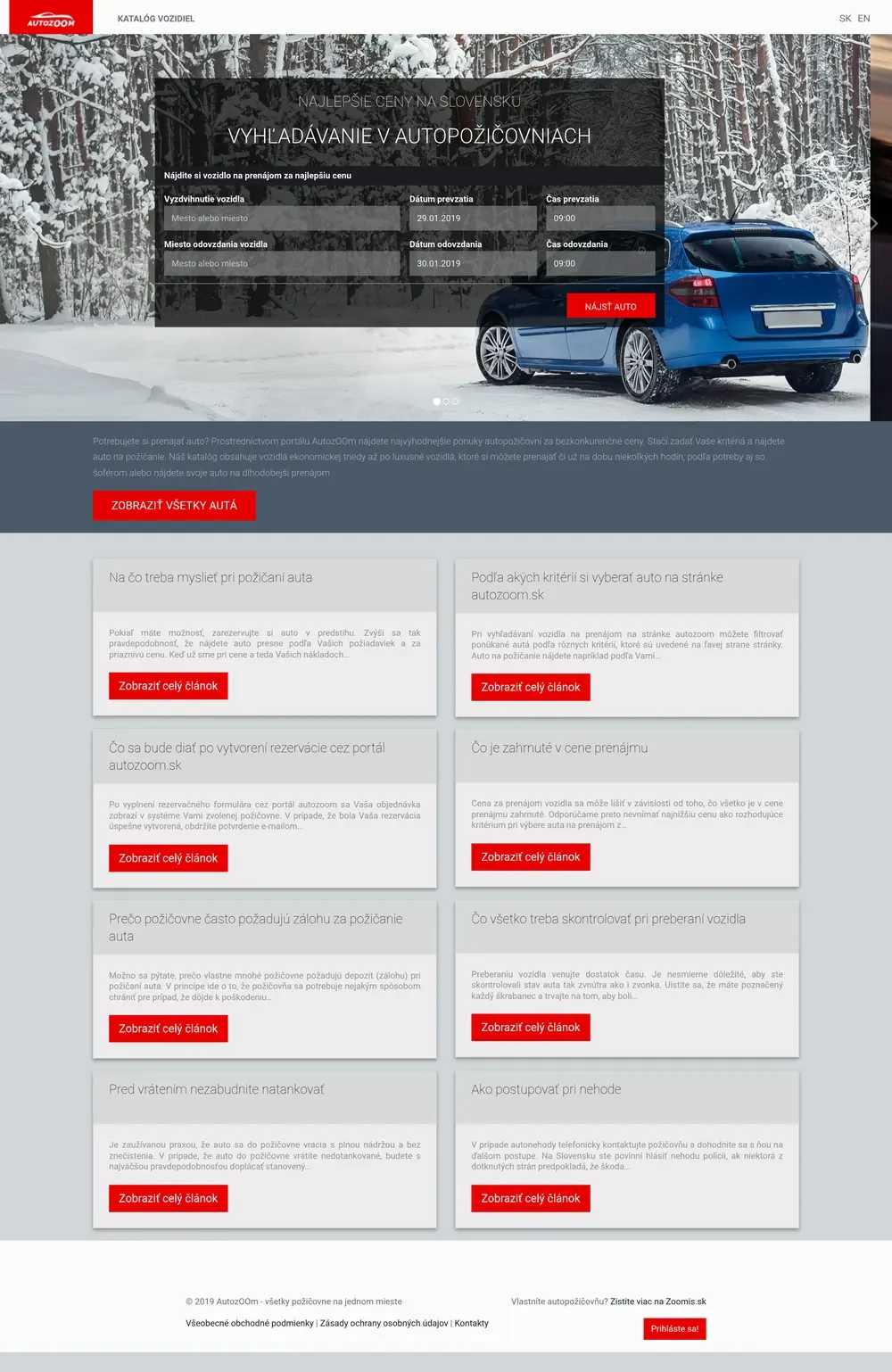
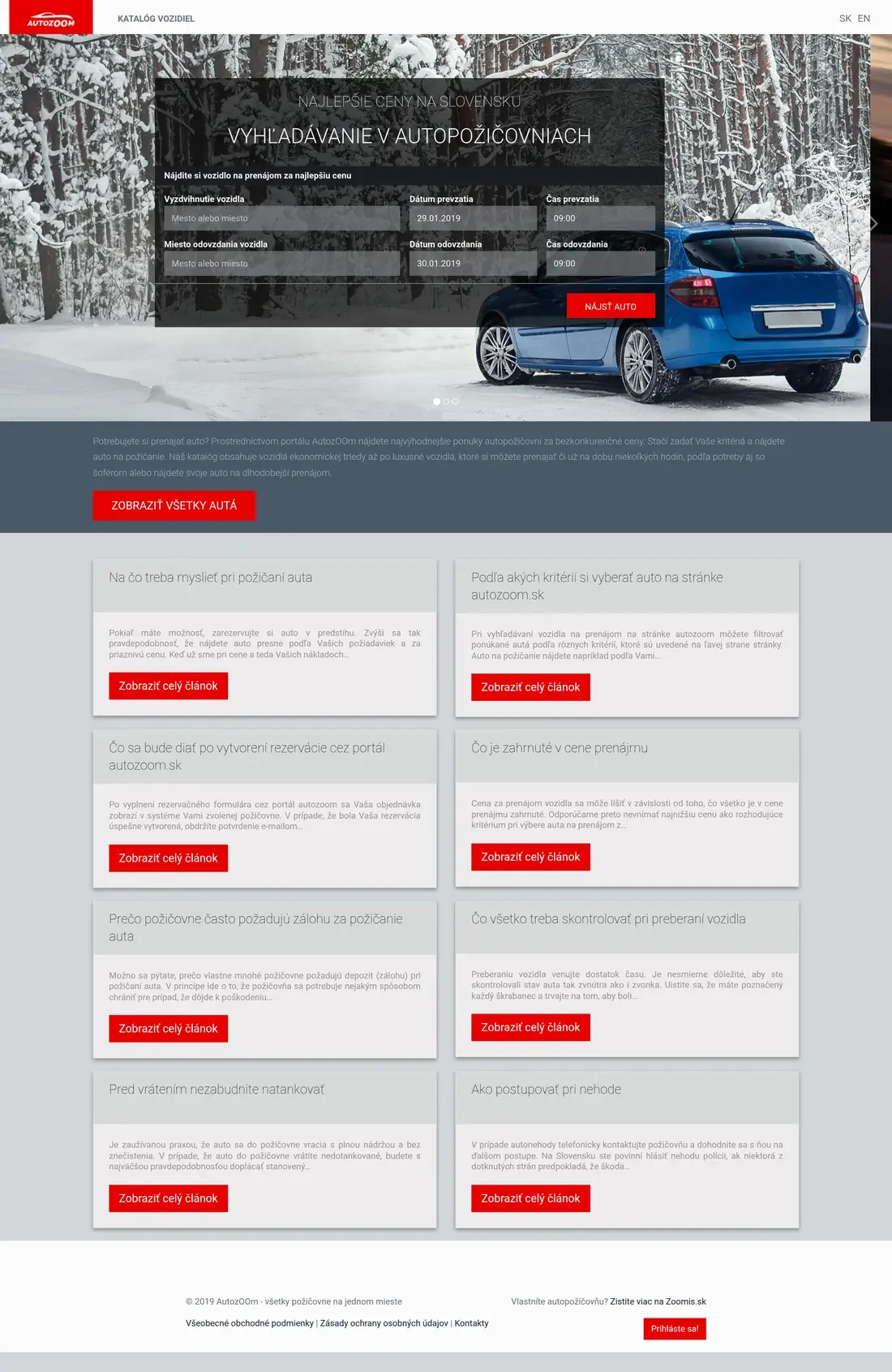
The home page starts with the place and dates of the trip
This portal no longer runs on the original domain.
Catalogue and language choice
The header offers an entry to the vehicle catalogue and switching between SK and EN. Visitors do not have to start with a date search.
Pick-up and drop-off
The search asks for the place, date and time at both ends of the rental. That is the data drivers use to find an available car.
A way into the whole catalogue too
Below the search there is an explanation of the portal and an entry to all cars. Customers can browse the offer first without entering a trip.
What happens after booking
A separate card explains the transfer of the booking to the rental company’s system and the email confirmation. Drivers see what will happen next.
An entry for operators
The footer separates the customer section from information for rental company owners and the login. Internal management is not a public catalogue.
From the car offer to the rental summary
We show the flow on the original desktop designs, not on mobile mock-ups.
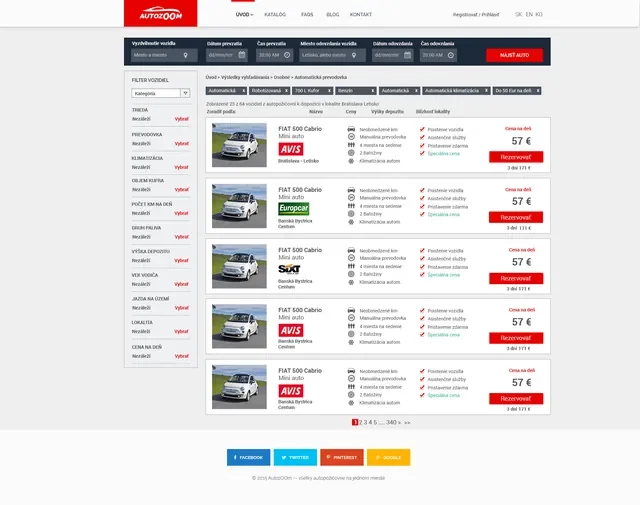
Choose a carFilters narrow down the offer by vehicle requirements. Each car shows the price and a link to the details. 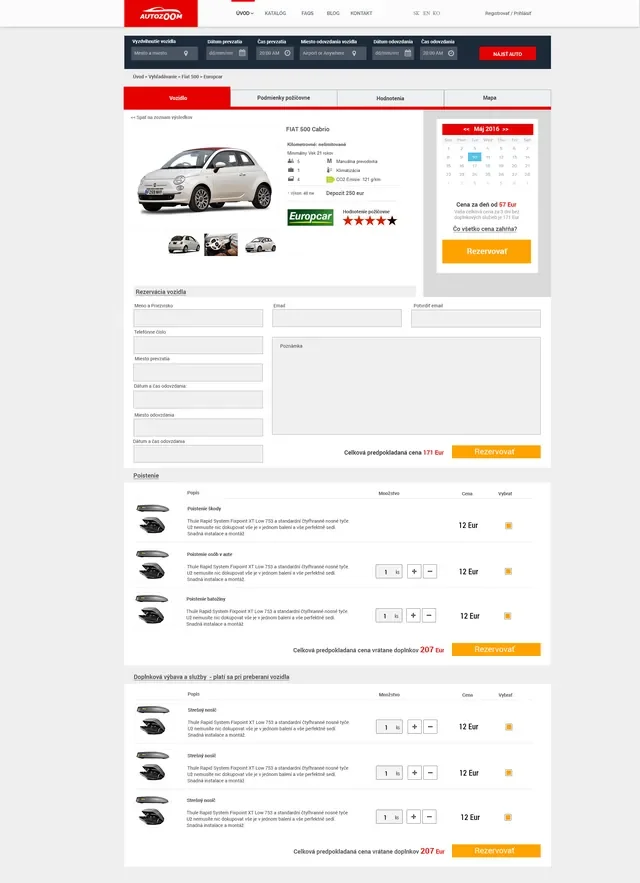
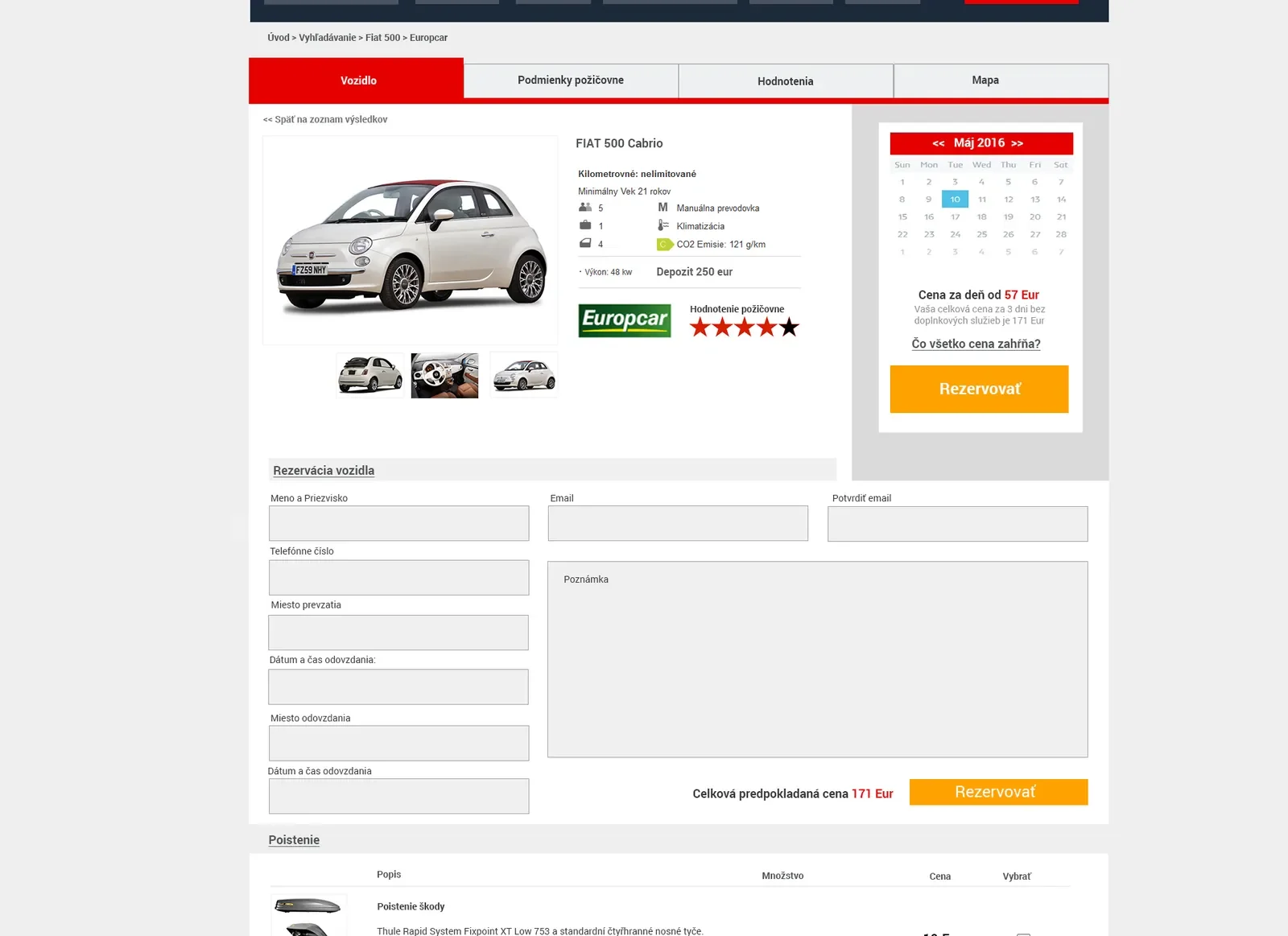
Enter the rentalThe detail combines the car’s specifications with a form for places, dates and rental extras. 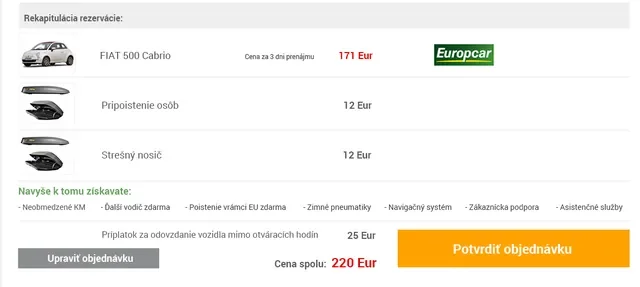
Check the summaryA crop of the summary shows the car, extras and price items before confirmation.
Original designs
Staff need to see more than the booking
Booking overview Vehicle record Service and insurance Portal home page design · 2018 file System presentation website design · 2020 file
Click a design to enlarge it.
Before booking you need to know the car and the terms
The original vehicle detail design combines photos, price, specifications and rental data. The annotations explain the design layout, not today’s features on the domain.
Subpages
Each page has one job
Click a preview to open the full page.
Result
One availability for the portal and the staff
The offer follows operations
Availability from the internal system was transferred to the public vehicle offer. Both views used the same data.
The booking continues with the staff
Booking data was transferred to the rental company’s system. Staff managed it with the vehicle and the dates.
Operations are more than a calendar
The designs also show service, insurance and technical dates for each vehicle. Staff had them together with the rental data.
Scope
What we did for Autozoom
From the public choice of a car to the working screens used by rental staff.
Public vehicle selection
We designed search by trip, vehicle filters and the details needed before booking.
Booking form
The car detail added the choice of places, dates and extras. The design also included a rental summary.
Availability integration
Data from rental management was reflected in the public offer and the booking returned to the system.
Rental management
Staff had an overview of bookings for each vehicle with the pick-up and drop-off place and rental time.
Vehicle records
For each car, we designed the basic data, specifications, price list, extras and its operating condition.
Service and insurance
The designs included service records, operating costs, insurance and reminders of its dates.
Do you take bookings
and run operations elsewhere?
Tell us how you track availability, rentals and vehicle condition. We will design what customers need to handle and what staff need to see.
- We go through your current process from enquiry to car return.
- We design the connection between bookings and operations.
- We agree on the scope and next steps together.
We can meet in person in Bratislava or online.